
Play Log (beta)
Published 1 day ago | 10/05/2026
Play Logs 🏆 [BETA]
Note: this feature is in early beta access. You can enable beta features in /settings but be aware that the feature may change without notice.
We are ready to open up a bit for our next big feature, play logging. A few things we do differently, if you are used to logging in other apps;
Scoring templates ✏️
You can define how a board game scores. Binary win/loss, simple score, rounds, ranking (1st, 2nd, ...) or our scoring sheet.
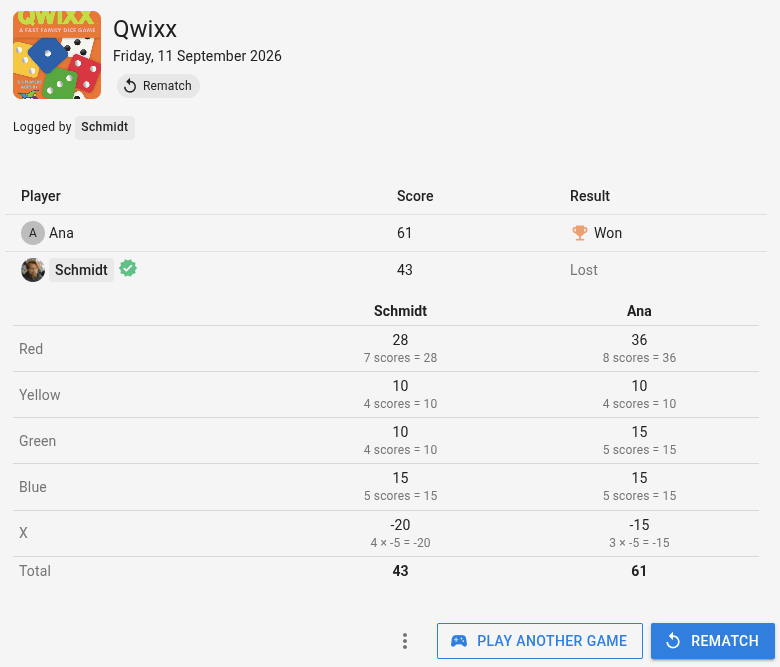
The scoring sheets supports checkbox for bonuses like Longest Road in Catan, multipliers, or lookup tables like required for Agricola or Qwixx.
This should capture accurate scoring in most boardgames. We automatically check if you are defined a template for the game and if not will suggest the most popular community-made template.
Confirmed Scores and Guest 👥
You can link other profiles to a play log. If they have an account then they'll be able to confirm the score and have it appear in their play log.
If they don't have one then we create an 'guest identity' for them. If they ever device to create an account then you can transfer all plays to them in one click.
Long and short board games ⏳
The site supports splitting a board game over several days or playing multiple different board games in the same sitting. A timer helps you record accurate playtime for each game.
Updated menu ⋮
The menu from /search now includes the option to remove or edit a board game from your collection using Edit my copy. You can also quickly move it to another folder.
Pressing Log play (requires beta opt-in) opens a new page for logging a play with that particular game. It uses your last used scoring sheets or the most popular community scoring sheet. Clicking log play on an expansion also adds the base game, so the play log correctly registers as game w. expansion.
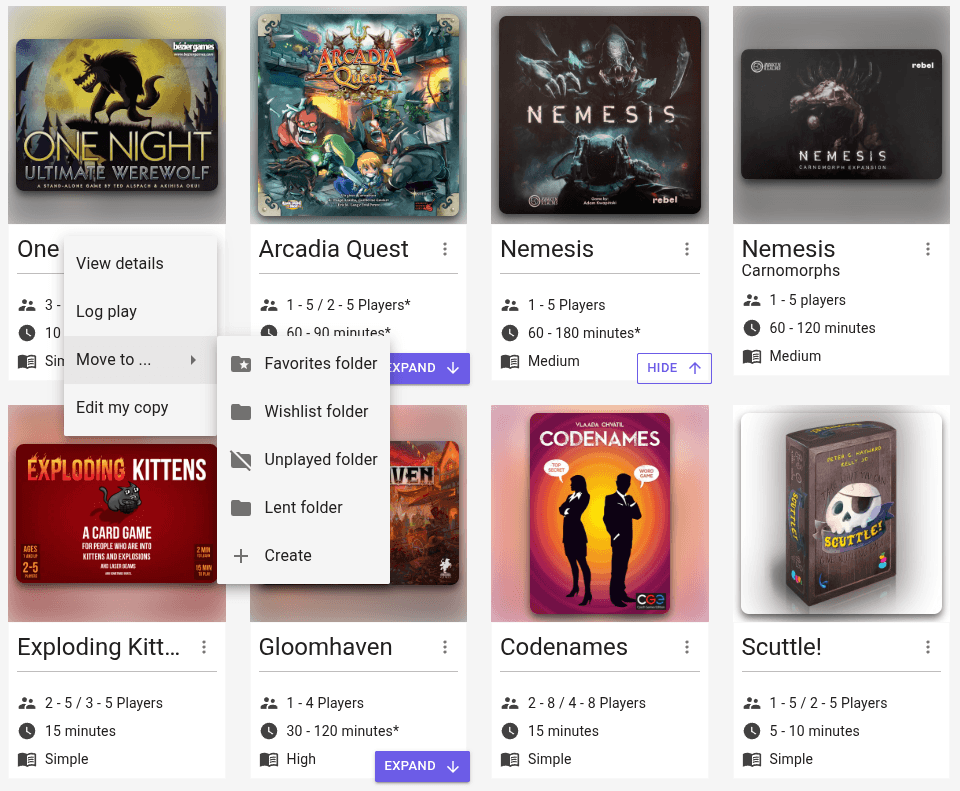
The same menu options have been added to /feed which previously only allowed you to view details and the collection tab on your profile which previously did not have a menu.
Minor changes 🤏
- Extended the OpenAPI specification to include endpoints for getting listed communities and events near a specific location
- You can now use Claude, ChatGPT, Grok or any other agent with MCP support to search collections, listed board game events and listed communities.
- Updated documentation to include the play logging feature.